
Before You Start
Make sure you have your audio files (WAV or MP3), your download file as a ZIP (max 3GB), and basic track information like genre, mood, and BPM.
Upload Your Music
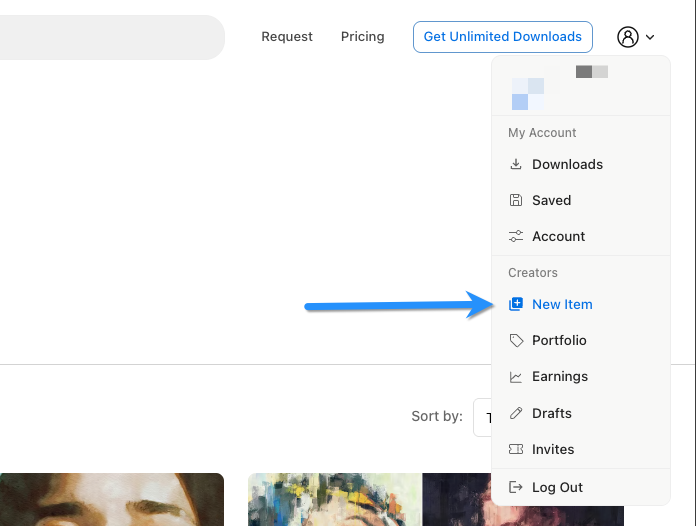
Click New Item in your creator dashboard and select New Music.
Audio Previews
Upload your main track and any variations (short edits, loops, etc.). These create watermarked previews for subscribers. You can upload up to 10 files, 100MB each, in WAV or MP3 format.
Categories
Select up to 3 options each for Genre, Mood, and Themes. If an option is missing, click the link below the dropdowns to request it.
Description & Title
Write a brief description of your track—instruments used, suitable projects, overall feel. Check "Optimize description with AI" to automatically improve it. Enter your track title on the right.
Track Details
- BPM: The tempo of your track
- Looped: Enable if your track loops seamlessly
- Has Stems: Enable if you're including separate instrument stems
Content ID & P.R.O.
Toggle YouTube Content ID if your track is registered with a Content ID administrator. Toggle PRO License if registered with a Performance Rights Organization. You can set default affiliations in your account settings.
Visibility
- Free: Available to all users without a subscription. You still earn from the free downloads pool.
- Exclusive: Only available on Motionstyles. Earns bonus downloads.
Download File
Upload a ZIP file (max 3GB) containing the high-quality files subscribers will receive.
Publish
Click Publish to go live, or Save as Draft to finish later.
Need help? Our team can upload your items for you through our assisted upload service.