
You can download a license certificate for any track you've licensed on Motionstyles. This is useful for:
- Providing proof of license to clients
- Responding to Content ID disputes
- Meeting platform or broadcaster requirements
- Keeping records for your projects
Download Steps
- Log in to your Motionstyles account
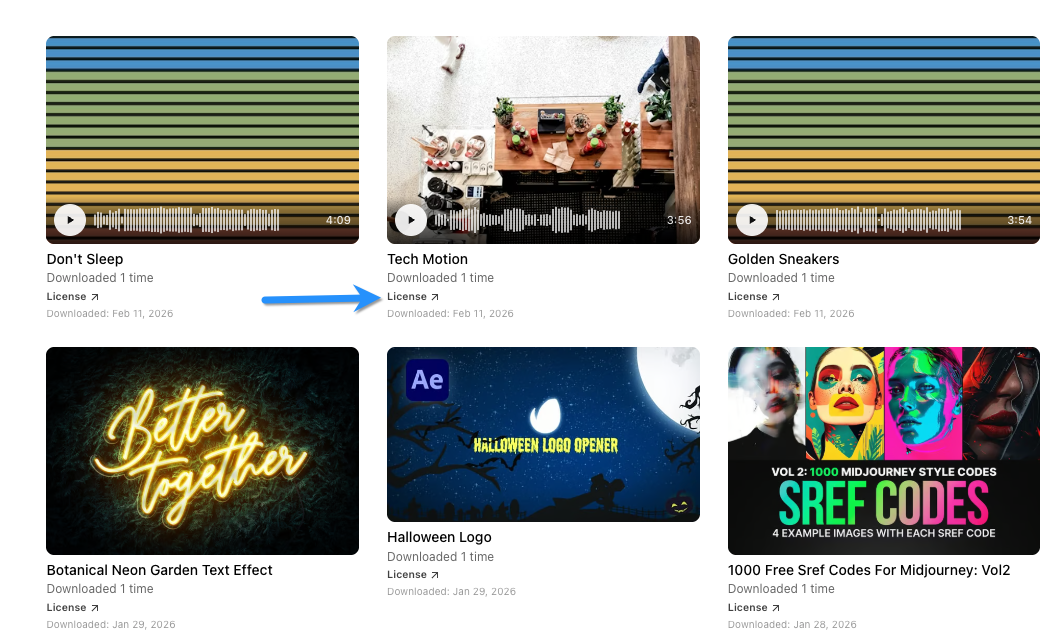
- Go to Account → Downloads
- Find the track you need a license for
- Click the License button (or download icon)
- Your license certificate PDF will download
What's Included
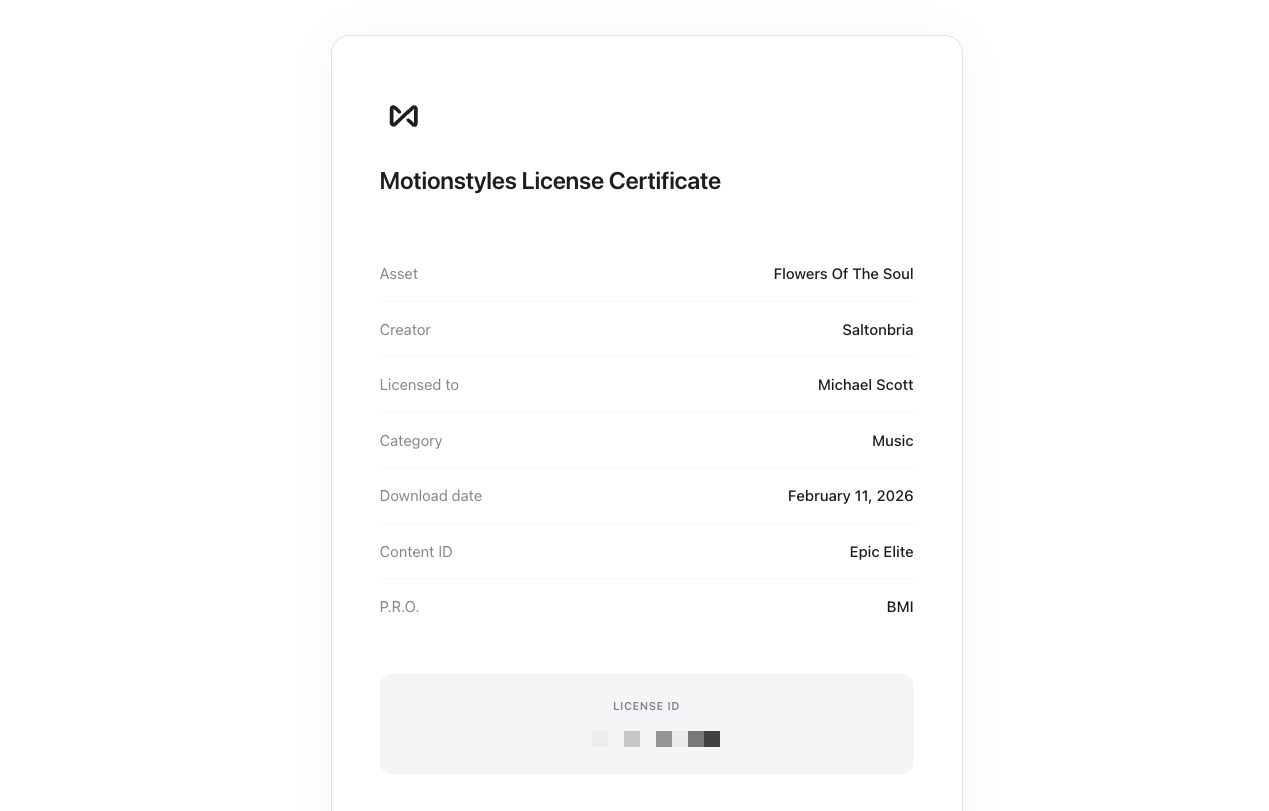
Your license certificate includes:
- Track title and creator
- Your name and account information
- Date of license
- License terms summary
- Unique license ID for verification
Using Your License Certificate
For Clients
If a client asks for proof that music is properly licensed, send them the license certificate PDF. It confirms you have the right to use the track in commercial projects.
For YouTube Disputes
If you need to dispute a claim manually (rather than using our claim clearance system), you can reference your license certificate. However, we recommend using the claim submission system for faster resolution.
For Broadcasters
Some TV networks and streaming platforms require proof of music licensing. Your certificate confirms your rights to use the track in broadcast content.